
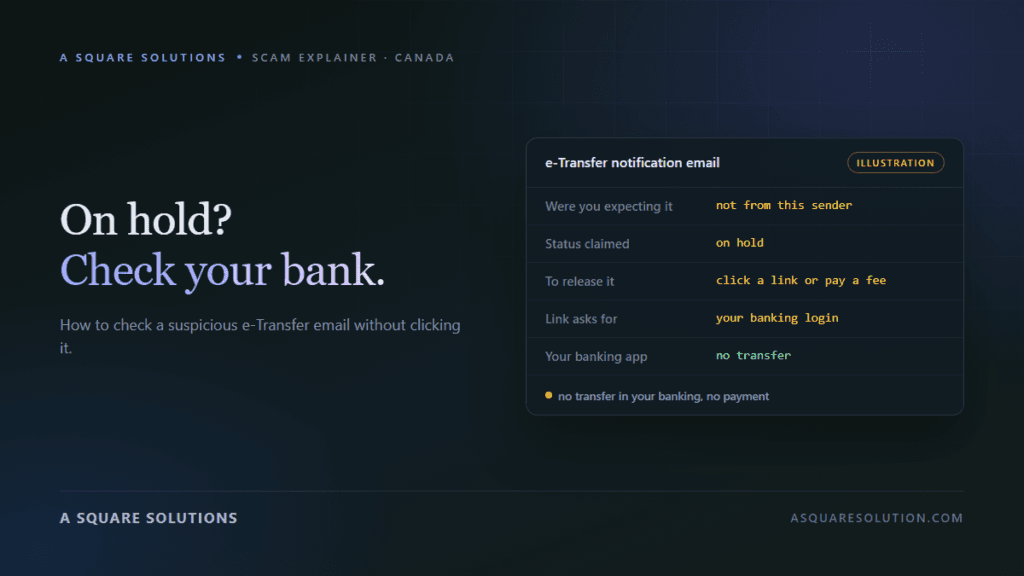
A buyer says they have paid you by Interac e-Transfer. Then an email tells you the money is “on hold” until you click a link or pay a fee. This guide explains how the fake Interac e-Transfer email works, the red flags, and how to check safely without clicking anything.
The short answer: if an email says your e-Transfer is on hold, asks you to click a link to deposit it, or asks for a fee to release it, stop. Do not click. Check your own online banking. If you were not expecting the notification and cannot confirm it, Interac asks you to forward it to phishing@interac.ca.
Key takeaways
- Be suspicious of any e-Transfer notification you were not expecting. Interac’s own advice is to confirm with the sender.
- Never sign in to your bank from a link in an e-Transfer email you are not sure about. Fake links have been used to steal banking logins in marketplace sales.
- If the money is not in your account when you check your banking app yourself, you have not been paid.
- Report suspicious notifications to phishing@interac.ca. If you have lost money, report to your local police and the Canadian Anti-Fraud Centre.
How the scam usually works
Police and banks describe the same pattern in marketplace sales on Kijiji, Facebook Marketplace and similar sites.
- A buyer agrees to your price and offers to pay by e-Transfer.
- You get a “payment” email. It looks like an Interac e-Transfer notification.
- The email has a catch. You are told to click a link to accept the deposit, or that the money is “pending” until you pay a fee or take an extra step.
- The link asks for your online banking details. Once criminals have them, they can get into your account and withdraw money.
ATB Financial is blunt about step 3. Its guide to scam-proofing your online marketplace deals says there is no such thing as a “pending payment” that requires you to pay additional fees or perform extra steps.
Step 4 is not hypothetical. In December 2024 the New Westminster Police Department in British Columbia warned the public about Interac e-Transfer banking scams. In the case it described, a resident selling an item online received an email that looked like an e-Transfer notification, clicked the link and entered their banking credentials. They lost $3,000.
Red flags in the email and the conversation
- You were not expecting the notification. New Westminster Police advise not to click e-Transfer emails unless you are expecting money.
- It asks you to sign in through a link to “accept”, “release” or “verify” the money.
- It asks for a fee, or for you to send money first, before you can receive a payment.
- The sender’s address looks off. The police warning mentions misspelled company names and generic email domains.
- The buyer says their Autodeposit “is not working”, or that you need to do something extra to receive the money. ATB lists this as a warning sign.
A convincing layout is not evidence. Logos, colours and wording are easy to copy. What a fake email cannot do is put money in your account.
How to check safely
- Do not click anything in the email.
- Open your banking app, or type your bank’s web address yourself, and look for the e-Transfer in your account or your list of received transfers.
- No transfer in your banking means no payment. Do not hand over the item.
- Confirm with the sender through the marketplace, not through the email.
- If you cannot confirm it, forward the notification to phishing@interac.ca. That is the address Interac gives in its answer to what email fraud and phishing are.
If the buyer sends a picture of a “sent” transfer as well, the same rule applies. Our guide to fake Interac e-Transfer screenshots explains why a screenshot is not proof of payment.
Turn on Autodeposit
With Autodeposit, e-Transfers sent to your email address go straight into your bank account. There is no email link to click.
Three separate sources recommend it. Interac’s e-Transfer page recommends registering for Autodeposit “for ease and added security”. ATB calls it the best way to avoid this scam. New Westminster Police give the same advice.
You set it up in your own banking app or on your bank’s website. Once it is on, an email asking you to “accept” a deposit should make you more suspicious, not less.
What to say to the buyer
You do not need to argue about whether the email is real. One reply is enough: “I will release the item once the transfer shows in my bank account.”
A genuine buyer loses nothing by that. A scammer will push back, send more “proof”, or ask you to pay something to fix the problem. Each of those is your answer.
The request to pay a fee first is closely related to another marketplace trick, where a buyer claims to have sent too much and asks for the difference back. See our guide to overpayment refund scams. For the full set of tricks used on sellers, see Facebook Marketplace fake payment scams, and for posted items use our checklist on verifying a payment before shipping.
If you clicked the link or entered your banking details
- Call your bank straight away on the number on your card or its official website. Tell them your login may be compromised.
- Change your online banking password from your bank’s real app or website.
- Report it. The Canadian Anti-Fraud Centre explains how to report fraud and cybercrime, online or by phone at 1-888-495-8501. It also tells victims to contact their local police.
A second opinion
Unsure about an email? Paste its text into the free ScamCheck email checker for a quick read of common scam signs. No tool catches every scam. When in doubt, check with your bank directly.
The bottom line
A real Interac e-Transfer does not sit “on hold” waiting for you to pay a fee, and you never need to sign in through an emailed link to find out whether you were paid.
The test is simple. Look in your own banking, not in the email. If the transfer is not there, you have not been paid.
Frequently asked questions
How do I know if an Interac e-Transfer email is real?
Do not judge it by its look. Check your own banking app for the transfer, and confirm with the sender. If you cannot confirm a notification you were not expecting, forward it to phishing@interac.ca.
Can an e-Transfer really be on hold until I pay a fee?
No. ATB Financial says there is no such thing as a pending payment that requires you to pay additional fees or perform extra steps. Treat any request to pay money in order to receive money as a scam, and check your bank directly.
How do I stop worrying about e-Transfer emails altogether?
Turn on Autodeposit in your banking app. Money sent to your email address then goes straight into your account, with no link to click.
I entered my banking password on the link. What now?
Call your bank immediately, change your password through the bank’s real app or website, and report it to your local police and the Canadian Anti-Fraud Centre.
Is a screenshot of an e-Transfer proof of payment?
No. Only money that has arrived in your account counts.
The statements about Interac e-Transfer in this article come from the Interac, Canadian Anti-Fraud Centre, New Westminster Police Department and ATB Financial pages linked above. The $3,000 figure is from the police release. This article is educational and is not legal or financial advice. See our disclaimer.
Related reading: Fake Interac e-Transfer screenshots · Overpayment refund scams · Facebook Marketplace fake payment scams · Verify a payment before shipping