
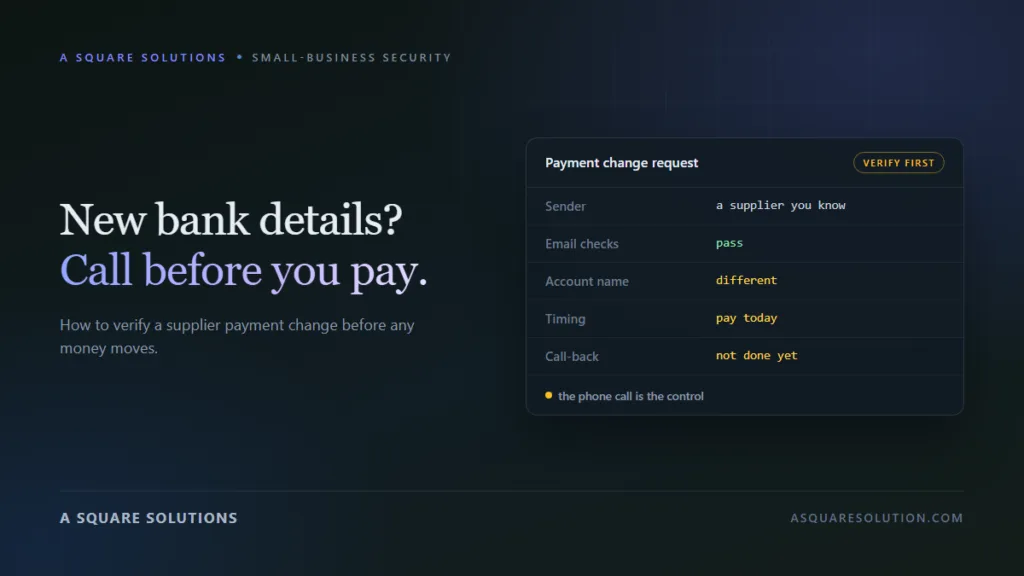
An email from a supplier you know says their bank details have changed. The invoice looks right, the tone is right, and the amount is one you were expecting to pay. This is how payment redirection fraud works, why your email security will not always catch it, and the checklist that stops it.
A fake invoice scam of this kind does not need you to click a bad link or open a strange attachment. It needs you to do your normal job: pay an invoice, to the account written on it.
The same fraud goes by several names. Banks and police forces call it payment redirection, invoice redirection or mandate fraud. In the US it sits under business email compromise, or BEC. The FBI’s Internet Crime Complaint Center 2025 annual report lists BEC as the second-costliest crime type it tracks, at about $3 billion in reported losses.
How the “new bank details” scam works
Australia’s Scamwatch describes it plainly: a criminal pretends to be a business you already deal with and sends an invoice with altered payee details, so a real payment goes to the wrong account.
There are three common routes.
- The supplier’s mailbox is compromised. The criminal reads real invoices and conversations, then sends a payment-change notice from the supplier’s genuine address, at the right moment.
- Your own mailbox is compromised. The criminal watches for incoming invoices and replaces or follows them with altered versions.
- A lookalike address. No account is broken into. The message comes from a domain one character away from the real one, or from a free mailbox using the supplier’s name.
In every case the request is ordinary. That is its strength. Accounts teams change supplier details and pay invoices every week.
Why email security does not settle it
Email authentication checks, known as SPF, DKIM and DMARC, confirm that a message really came from the domain it claims. They are useful against lookalike and spoofed addresses.
They do nothing in the first route above. If the supplier’s real mailbox has been taken over, the fraudulent email is sent from the real domain and passes every check. We saw the same limit in our own inbox: in our vendor-registration case study, every authentication result was a pass, and the request still failed verification.
So the rule cannot be “trust emails that pass”. The rule has to be about the payment change itself.
Warning signs in the message
Scamwatch lists three signs:
- a bill you were not expecting;
- a supplier’s payment details changing without notice;
- an email address or website with a small spelling difference from the genuine one.
Other details worth checking:
- the new account is in a different name, bank or country from the old one;
- the change arrives just before a large or regular payment is due;
- the message explains the change with an audit, a tax issue or a “temporary” account;
- you are asked to reply to a different address, or told the usual contact is unavailable by phone;
- there is pressure to confirm today.
None of these proves fraud. A genuine supplier can change banks. Together, they are the reason to verify before paying.
The verification checklist
This is the procedure to follow every time bank details change, including when the email looks perfect.
- Stop the payment run for that supplier. Nothing goes to the new account until the change is confirmed.
- Call the supplier on a number you already hold. Use your supplier record, a past contract or the company’s own website. Never use a number from the email or the invoice. The FBI’s guidance on BEC says to verify any change in account number or payment procedure with the person making the request.
- Speak to a person you know there. Ask them to confirm the change and read the new account details back to you.
- Check the address character by character. Compare the sender’s domain with earlier, genuine emails. Look for swapped letters, an added hyphen or a different ending.
- Use your bank’s name check. Many banks show the account holder’s name before you confirm a new payee. In the UK this is called Confirmation of Payee. If the name does not match the supplier, do not pay.
- Require a second person. One person requests the change in your records and another approves it, after seeing the call-back note.
- Write it down. Record who you called, on which number, when, and what they said.
- Tell the supplier if it was fake. If they did not send the notice, their mailbox or yours may be compromised. Both sides should change passwords and check for forwarding rules.
The call is the control. Everything else supports it. A two-minute phone call to a known number defeats all three routes described above.
Set the rule before you need it
Agree with each supplier, at the start, how payment changes will be confirmed. A sentence in your terms or onboarding email is enough: “We confirm any change of bank details by phone before we act on it.” Do the same for your own customers, so that a fake notice sent in your name has less chance of working.
Not sure about an invoice email?
Paste the text into ScamCheck’s email checker for a free second opinion on the wording, with no sign-up. It can flag pressure and impersonation patterns. It cannot tell you whether a bank account belongs to your supplier. Only the call-back can.
If you have already paid
- Call your bank immediately. Say it was fraud and ask them to try to recall the payment. Minutes matter, because the money is usually moved on quickly.
- Stop any further payments to the new details.
- Contact the real supplier on a known number, so they can check their own accounts.
- Secure your email. Change passwords, turn on two-step verification, and look for forwarding or auto-delete rules you did not create.
- Report it.
- United States: the FBI’s Internet Crime Complaint Center.
- United Kingdom: your bank, and the national fraud reporting service.
- Australia: your bank and Scamwatch. Scamwatch also points victims to IDCARE for recovery support.
- India: cybercrime.gov.in or the 1930 helpline.
- Keep everything. The emails with full headers, the invoice, and the payment confirmation.
When you are the supplier being impersonated
The same fraud can be run against your customers, in your name. Three habits reduce the risk:
- print a line on every invoice saying you will never change bank details by email alone;
- protect your mailboxes with two-step verification, since a compromised mailbox is the most convincing route;
- publish SPF, DKIM and a DMARC policy for your domain, which makes plain spoofing of your address harder.
The bottom line
You do not have to spot the fake. You only have to follow one rule every time: a change of bank details is confirmed by phone, on a number you already had, before any money moves.
If the supplier is genuine, the call costs two minutes. If they are not, it saves the invoice.
Frequently asked questions
What is a fake invoice scam?
It is a fraud in which a criminal poses as a business you already pay and sends an invoice or notice with different bank details. Your payment is real and the invoice may be genuine, but the money goes to an account the criminal controls.
How do I verify a supplier’s change of bank details?
Call the supplier on a phone number you already hold, not one from the email or invoice, and ask a person you know to confirm the change. Then have a second person in your business approve it before any payment is made.
The email came from the supplier’s real address. Can it still be fraud?
Yes. If the supplier’s mailbox has been taken over, the message comes from their real address and passes email authentication checks. That is why the phone call matters more than the email.
Can the bank get the money back?
Sometimes. Contact your bank at once and ask for a recall. The chance of recovery falls quickly as the money is moved on, so report it the same day.
Is this the same as business email compromise?
It is one form of it. Business email compromise covers several frauds that use a trusted email identity. Payment redirection, also called invoice redirection or mandate fraud, is the version where bank details are changed.
The loss figure in this article comes from the FBI Internet Crime Complaint Center report linked above and covers losses reported to that agency. This article is educational and is not legal or financial advice. See our disclaimer.
Related reading: How to check if a company is legit before you pay · How we spotted three fake hosting billing emails · The vendor registration invite that failed verification · What we could verify about a sponsored-content offer · Chargeback scams for sellers
Want payment-change checks built into your own process? We build fraud-prevention and verification automation for small businesses.