
Three Hostinger-branded billing emails reached our business inbox between 3 and 7 September 2026. None of them came from Hostinger. Here is exactly what we checked, what we found, and the one verification step that settled it — without clicking anything.
We run this website on Hostinger, and we take part in the Hostinger Partner Program. So a billing notice from them would not be unusual. That is precisely what makes this kind of message work: it arrives in a context where it could be real.
This is a first-person case study, not a generic checklist. Every claim below is separated into what we saw, what we independently verified, what we infer, and what we still do not know.
The three emails
| Email 1 | Email 2 | Email 3 | |
|---|---|---|---|
| Arrived | 3 Sep, 11:51 PM | 5 Sep, 6:35 AM | 7 Sep, 11:15 AM |
| Subject | Hosting billing notice | Final Reminder Hosting Billing Notice | Action required to maintain your service |
| Amount | $14,18 | $14,18 | not shown |
| Due date | 05-09-2026 | 06-09-2026 | not shown |
| Landed in | Junk | Junk | Trash |
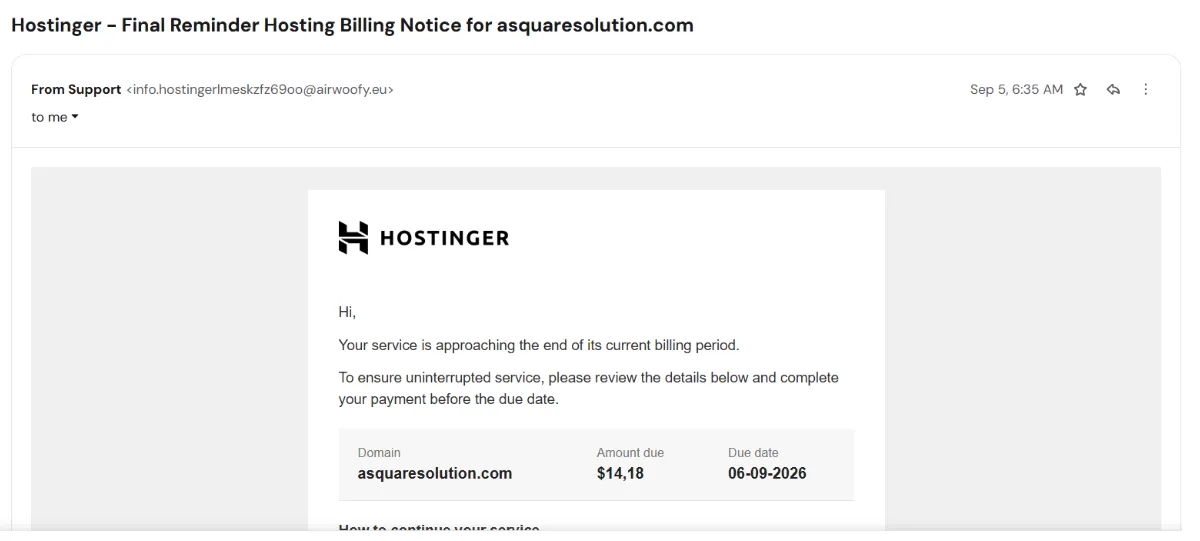
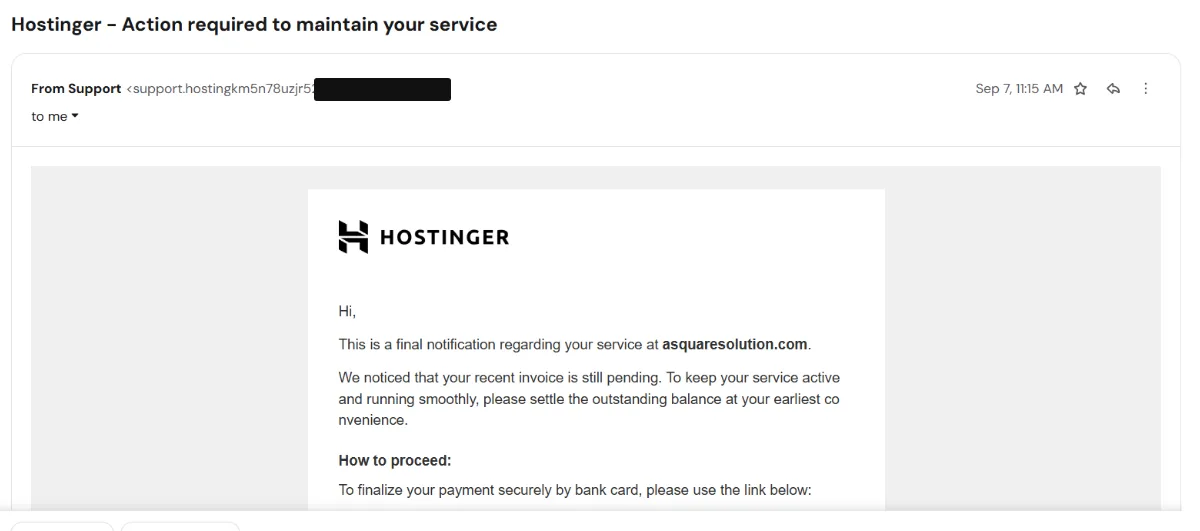
Look at that sequence. A “Final Reminder” on the 5th — then a separate message on the 7th that describes itself as a final notification. Real billing systems do not send three finals in four days. The first two messages used imminent due dates, and the sequence as a whole was built to create a rising sense of urgency. That pressure is the product being sold here.
All three had already been filtered into Junk or Trash. That is a signal worth respecting: if a “billing” message is sitting in spam, treat that as your mail provider telling you something before you have even opened it.
Why they looked convincing
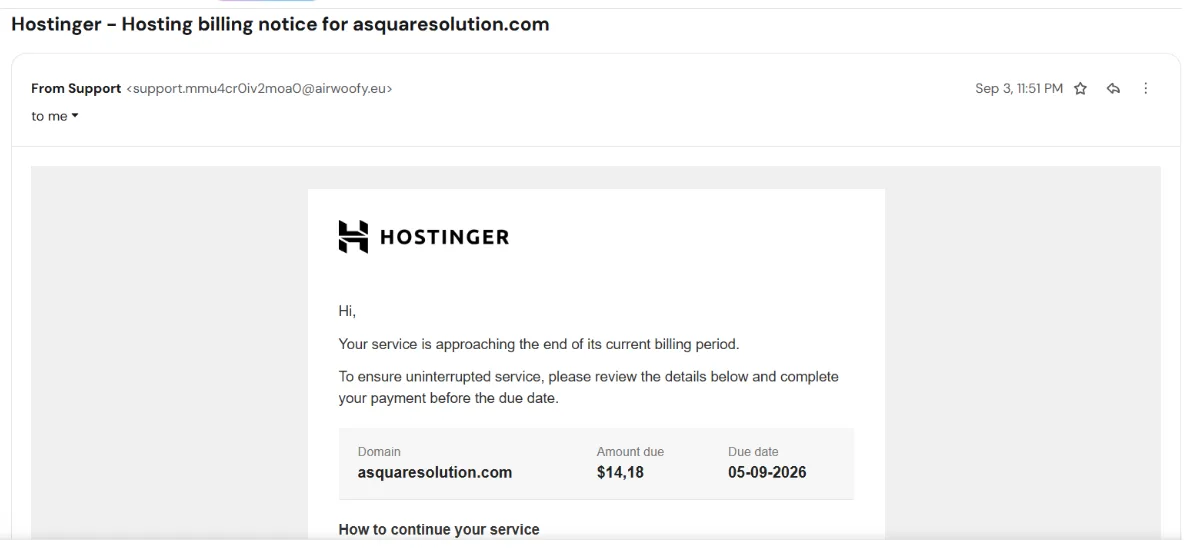
Honestly, they were decent. The Hostinger logo was correct. The layout was clean and plausible — a tidy details box with Domain, Amount due and Due date. Our real domain was in it. The tone was calm and corporate rather than shouty. On a phone, at a glance, nothing screamed.
That is the uncomfortable part. If your test for “is this real” is does it look real, you will eventually lose.
The first red flags
1. The sender was never Hostinger. The display name read simply “Support”. The address behind it belonged to domains with no connection to Hostinger at all.
2. The money was formatted wrong. Every email showed the amount as $14,18 — a dollar sign with a comma as the decimal separator. Comma decimals are normal across much of Europe. Pairing one with a US dollar sign is not something a payment system does. It is the fingerprint of a template written once, in a comma-decimal locale, and never checked.
3. The deadlines were imminent. Email 1 arrived on the 3rd with a due date of the 5th. Email 2 arrived on the 5th with a due date of the 6th. Short windows discourage checking.
4. There were small language errors. One email thanked us for our “loyaly”. Another had a word broken in half mid-sentence. Small things — but a company’s automated billing template is written once and sent a million times. It does not have typos.
The sender domain was never Hostinger
This is the check that costs five seconds and settles most cases.
The visible sender addresses were built to contain the word “hostinger” or “hosting” in the part before the @, followed by a run of random characters. But the part that actually matters is the domain after the @, and in all three cases that domain had nothing to do with Hostinger.
We checked the public DNS records. Hostinger’s real domain runs on its own nameservers and publishes a strict policy for who may send mail on its behalf. The domains behind these emails appear nowhere in that setup. One of them published no sending policy at all and had no mail records configured — which is not how a company that invoices you operates.
Anything can be typed before the @. Only the domain after it is a fact.
We traced the link without clicking it
We did not click Proceed with payment. Not once, on any of the three.
Instead we copied the link addresses and inspected them the way you would inspect a suspicious package — from the outside, without opening it. Using a request method that asks a server only “where does this point?” and never loads or runs the page, we followed the trail one step at a time.
What we found was not a link. It was a chain.
The button pointed at a link-shortening service — not suspicious in itself; plenty of legitimate mail uses one. But the shortener handed off to a second website, which handed off to a third. Two of the sites in the middle were ordinary real businesses with no connection to hosting or billing, apparently having their websites used without their knowledge. We are not naming them. As far as we can tell they are victims here, not participants.
The end of the chain was a web address whose subdomain had been constructed to read like a Hostinger service address. The domain it actually belonged to was entirely unrelated and registered elsewhere. Public IP-ownership records place the server hosting that page in Saint Petersburg, Russia.
One detail worth knowing as a defender: the final address changed on each visit. That is a common reason security blocklists lag behind campaigns like this — there is no single fixed address to block.
We stopped there. We never loaded that final page, so we cannot tell you what it asks for, and we are not going to guess. What we can say is that a legitimate hosting invoice does not route you through a shortener and two unrelated third-party websites to reach a lookalike address on foreign infrastructure. There is no ordinary business reason for that path to exist. We treat it as a deceptive payment destination that we deliberately did not follow.
Why “hostinger” in a web address proves nothing
This is the single most useful idea in this article, so it gets its own section.
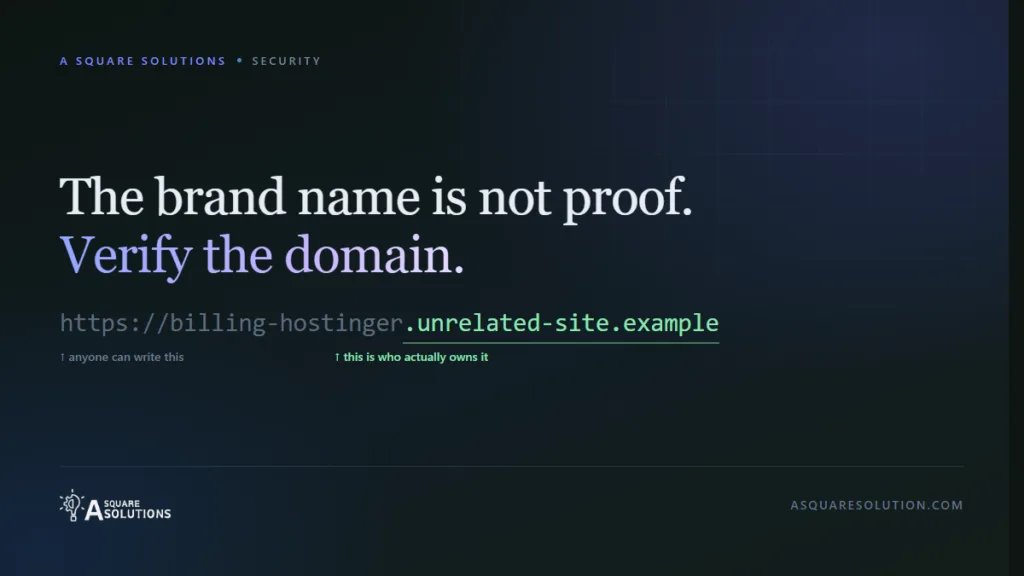
Web addresses are read right to left, not left to right.
In something shaped like billing-hostinger.some-other-domain.example, the part that determines who actually owns it is some-other-domain.example. The billing-hostinger piece in front is just a label — and whoever controls the domain can make that label say anything at all. They can make it say a hosting company’s name. They can make it say your bank’s name.
So a link containing a brand name tells you nothing about who runs it. What matters is the registered domain immediately before the ending (.com, .in, .at and so on) — and whether that is the company’s real domain.
The check that settled it
We opened a browser, typed Hostinger’s official address manually, and signed in to the real account.
There was no invoice for $14.18. No payment due on 5 or 6 September. Nothing outstanding at all.
That is the whole verification. Under a minute, no link from any email, and a definitive answer that no amount of squinting at the message design could have produced.
If you take one habit from this article: when a message says you owe money, go to the account yourself and look. Not through the email. Through the front door.
Don’t panic
Receiving one of these does not mean you have been hacked, and it does not mean your hosting provider has been.
Your email address being known is not a breach. Addresses circulate constantly, and business contact addresses are often public by design. Impersonation campaigns go out to enormous lists on the reasonable bet that some recipients genuinely use the provider being named. We do use Hostinger, so the guess landed. That is coincidence plus scale, not a targeted compromise.
Nothing we found suggests any problem with Hostinger itself. This is people impersonating a well-known hosting company, which is exactly what happens to well-known companies.
The correct response is not alarm. It is a habit.
The AI question
You will have read that AI has made phishing flawless — perfect grammar, no more spelling mistakes, the old tells gone. There is real substance to that concern, and it is changing what security advice should look like.
But this campaign is a useful counter-example. These emails were not flawless. One misspelled “loyalty”. One had a word broken in half. All three formatted currency in a way no payment processor would. We have no evidence about what tools were used to write them, and we are not going to claim any — we simply do not know.
The practical takeaway cuts both ways:
- Bad grammar no longer means fake. Plenty of legitimate mail is imperfect.
- Good grammar has never meant real. It did not before AI either.
Writing quality was always a weak signal. What has changed is that you should stop using it as a test at all, and move to the things that do not depend on how well the message is written: who actually sent it, where the link actually goes, and what your account actually says. All three are checkable, and none of them care how good the prose is.
What to do if one of these reaches you
Do not click the payment button. Not even to “have a look”. The link is the mechanism.
Open your provider’s website yourself. Type the address, or use your own bookmark. Sign in and check billing directly.
Look at the domain after the @. If it is not the company’s real domain, you are done — nothing else in the message matters.
If you want to check a link, check the domain, not the page. Read it right to left and find the registered domain. Do not load it.
Keep the evidence before you delete. A screenshot of the message and the sender address is enough. If you can, keep the original message so the full technical details survive.
Then report and remove it. Mark it as phishing or spam so your provider’s filters learn from it, forward it to your hosting provider’s official abuse or security address if they publish one, then delete it and block the sender.
If you already clicked and entered something, do not sit on it. Change that password immediately, and anywhere you reused it. Turn on two-factor authentication. If you entered card details, contact your bank and tell them it was a phishing site. Speed matters far more than embarrassment.
A 60-second verification habit
- Does the domain after the
@belong to the company? (5 seconds) - Are the amount and date formatted the way that company actually formats them? (5 seconds)
- Is the deadline suspiciously immediate? (5 seconds)
- Open the account yourself and check billing. (45 seconds)
Step 4 answers the question on its own. Steps 1–3 just tell you how quickly you will get there.
Not sure about a suspicious email, message or screenshot?
Paste it into ScamCheck for a free second opinion. It explains why something looks wrong rather than just returning a verdict, and it needs no sign-up. It is a second opinion — not a substitute for checking your own account.
Frequently asked questions
Does this mean Hostinger was hacked?
No. Nothing we found points to any compromise of Hostinger. These emails came from unrelated domains and led to unrelated infrastructure. Impersonating a recognisable company is a standard tactic precisely because the company is trusted.
How did they know I use this host?
They may not have. Campaigns like this go out broadly, on the statistical bet that some recipients use the provider named. We do, so it looked targeted. It probably was not.
The email is in my spam folder. Is that enough?
It is a strong hint, but do not rely on it alone in either direction. Filters miss things, and they occasionally misfile real mail. Check the account.
Is a link with the company’s name in it safe?
No. Read the address right to left; the registered domain just before the ending is the one that determines ownership. A brand name anywhere else in the address is decoration and can be set to anything.
Should I reply and ask whether it is genuine?
No. Replying confirms your address is live, and the reply address is under the sender’s control anyway. Verify through the account.
What we verified, what we infer, and what we do not know
This distinction matters more than a confident-sounding conclusion.
Directly observed: the three emails, their dates, subjects and sender addresses; the amount and its formatting; the escalating “final” language; the spelling errors; and which folder each landed in.
Independently verified: public DNS and mail-policy records for Hostinger’s real domain and for each sending domain; the redirect chain, inspected without loading any page; public IP-ownership records for each host in that chain, including the Russian hosting of the final destination; and — decisively — the genuine Hostinger account, checked directly, which showed no matching invoice.
Our inference: that all three emails belong to a single campaign rather than being coincidental lookalikes, based on a shared tracking parameter, near-identical templates and overlapping infrastructure. We also infer that the intermediate websites are compromised third parties rather than willing participants, which is why we have not named them.
Still unknown: what the final page actually does. We chose not to load it, so we cannot say whether it requests card details, login credentials or something else — and we will not speculate. We also cannot say what tools were used to compose the emails.
Disclosure: A Square Solutions hosts this website with Hostinger and participates in the Hostinger Partner Program. We have deliberately included no referral link in this article, and the partnership did not influence any finding above. See our disclaimer for how we handle affiliate relationships.
Related: How to verify any payment screenshot — the same “check the source, not the picture” principle applied to proof-of-payment images.