
⭐ How to Start a Blog with Hostinger — Step-by-Step Guide (2025)
If you want to start a blog with Hostinger in 2025, you’re in the right place! Blogging is one of the best ways to build authority, grow online income, and create content that attracts traffic for years. With Hostinger + WordPress, anyone can launch a professional blog in a single day.
This guide walks you step-by-step: choosing a niche, registering a domain, setting up Hostinger hosting, installing WordPress, planning content + SEO, and launching your blog the right way.
Start a Blog with Hostinger in 2025 and build an online presence that grows passive traffic and income month after month. With the right niche, hosting, and content plan — you can launch a professional WordPress blog in a single day using Hostinger.
Blogging gives you authority, audience, and revenue growth — and Hostinger makes the technical setup beginner-friendly, fast, and affordable.

🌟 Why Start a Blog with Hostinger?
A blog gives you long-term benefits:
Evergreen SEO traffic
Brand authority + personal credibility
Revenue via affiliate, ads, and services
Lead generation for business growth
Unlike social media, your blog is fully yours — SEO traffic compounds month after month.
📌 Tip: Publishing even 1–2 posts weekly can grow traffic fast.
1️⃣ Choose Your Blog Niche
Pick a niche where you can write 30–50 posts, people actively search the topic, and monetization is possible.
| Factor | How to validate |
|---|---|
| Your skill/interest | Can you talk endlessly about it? |
| Search demand | Check Google Keyword Planner trends |
| Revenue potential | Affiliate + services + digital products |
Profitable beginner niches:
Tech guides, AI tools tutorial
Fitness, self-care, recipes
Finance, investing, side-hustles
Travel guides, lifestyle blogs
Start narrow → rank faster 💡
- Passion/skill: What you can write 50+ posts about
- Search demand: basic keyword check with Google Keyword Planner or AnswerThePublic
- Monetization fit: affiliate, services, courses
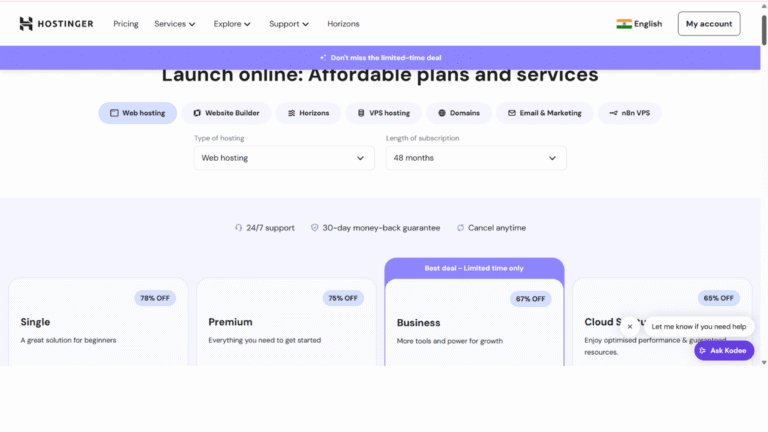
2️⃣ Domain + Hosting Setup (Hostinger)
A reliable host decides blog speed, ranking & security.
Hostinger is the best beginner choice: fast servers, free SSL, email, 1-click WordPress install.
🔗 Start Your Blog with Hostinger → 20% OFF
👉
Checklist:
✔ Short, brandable domain (.com preferred)
✔ Premium WordPress hosting plan
✔ Automatic backups + LiteSpeed cache
✔ Free business email with domain
3️⃣ Install WordPress (5-Minute Setup)
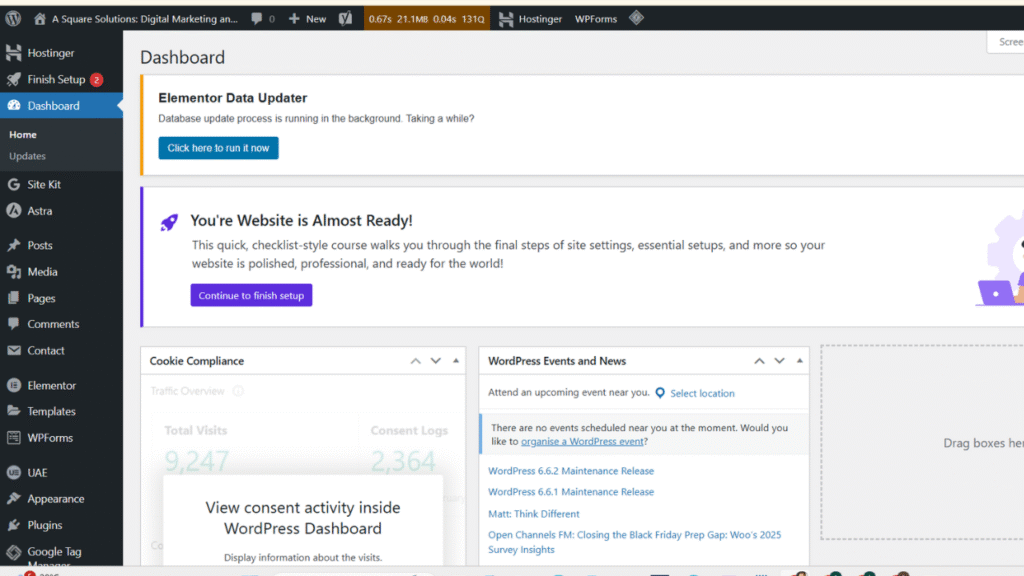
Inside Hostinger hPanel:
1️⃣ Auto-Install WordPress
2️⃣ Permalinks → “Post name”
3️⃣ Select lightweight theme (Astra / Blocksy)
4️⃣ Install these plugins:
RankMath or Yoast SEO (search ranking)
LiteSpeed Cache (speed)
UpdraftPlus (backup)
WPForms (contact form)
5️⃣ Security basics:
Use strong admin username
Enable 2-Factor Authentication
Keep plugins updated weekly
🧩 Internal Resource:
👉 How to Optimize Your Website for Search Engines
4️⃣ Content Strategy + SEO Pillars
Plan content in topic clusters:
| Structure | Example |
|---|---|
| Pillar post | “Best Tools to Start a Blog in 2025” |
| Cluster posts | “How to write blogs faster”, “Keyword tools for bloggers” |
SEO Basics 🔑
Focus Keyword in title + URL + first paragraph
Use H2/H3 headings with variations
Internal links every 250 words
Add image alt tags (“Start a blog with Hostinger”)
Consistent posting → 1–2/week
📌 Helpful guide:
👉 5 Easy Tips to Increase Your Website Traffic
5️⃣ Launch Checklist
Before you make your blog live:
✔ Featured images for every post
✔ About & Contact pages ready
✔ Analytics + Search Console enabled
✔ Mobile view fully responsive
✔ Minimum 5 posts published
📌 Pro Tip: Add your author bio → improves trust & EEAT score.
6️⃣ Promote & Monetize Your Blog
🚀 Promotion Channels
Pinterest pins → huge SEO traffic
LinkedIn + Reddit communities
Share posts on X/Twitter + Facebook
Short videos on Instagram/YouTube
💰 Monetization Methods
Hostinger Affiliate (best for beginners)
Google AdSense (later Mediavine)
Sponsored articles
Digital products & coaching
🔥 CTA for conversions
👉 Start a Blog with Hostinger (Save 20% Today)
⚡ How Long to Get Blog Traffic?
With 10–20 SEO posts, expect results:
| Time | Results |
|---|---|
| 1–2 months | First 20–50 visits/day |
| 3–6 months | 300+ visits/day |
| 1 year | Passive traffic + income |
📌 Don’t rush — blogging pays slow but BIG.
FAQs — Quick Answers
🎯 Final Takeaway
The best time to start a blog was yesterday.
The second best time is today.
Your content could change your career — but only if you publish.