
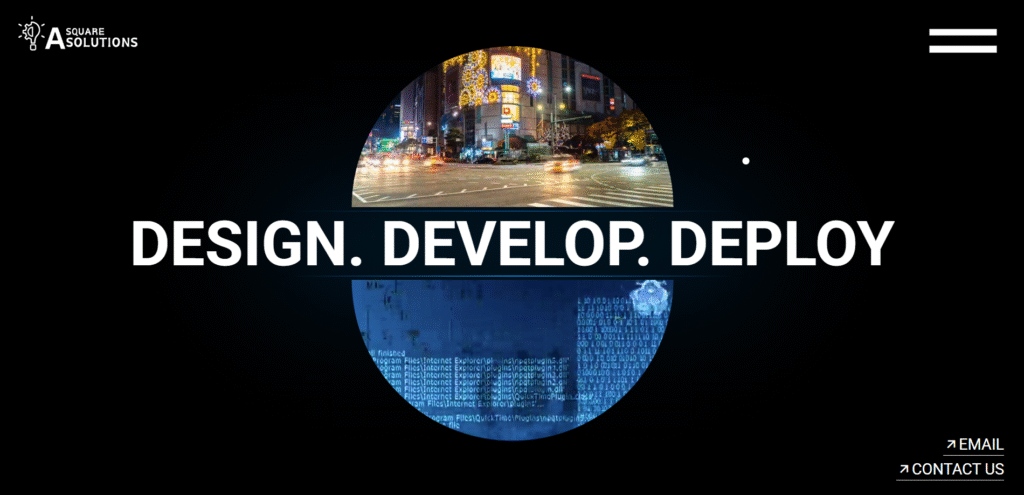
The best case study we have is our own. Before A Square Solutions deployed a single WordPress site for a client, we built and operated our own digital presence entirely in custom HTML/CSS — and then migrated it. This is the honest account of why we built it that way, why we moved, and what every business should understand about the tension between performance-first development and operational scalability.
600+
Content assets published post-migration
0
Downtime during migration
2
Domains consolidated into 1
100%
SEO equity preserved via 301s
Phase 1: The Original HTML/CSS Build
📚 Related Reading
When A Square Solutions launched in 2021, we built the main website entirely from scratch — semantic HTML5 structure, custom CSS3 responsive grid, performance-optimised assets, scroll animations, and a mail-integrated contact form. No CMS, no plugins, no WordPress. Just code.
This was a deliberate choice. A hand-coded site gave us complete control over every element, minimal server load, and Lighthouse performance scores that template-based sites rarely achieve. The initial render time was under one second. There was no plugin overhead, no database queries slowing down page delivery, and the visual design was exactly what we had in mind — not a approximation constrained by a theme.
The main site lived on the root domain: asquaresolution.com. But we also needed a blog — and rather than building a custom CMS from scratch, we deployed a WordPress installation on a subdomain: blog.asquaresolution.com. This created a split digital presence that worked operationally but introduced structural problems we wouldn’t fully understand until later.
The Subdomain Problem — SEO and Authority Splitting
The blog.asquaresolution.com subdomain was functional — we published content, built early readership, and tracked performance. But from an SEO perspective, we were splitting our domain authority across two separate properties. Every backlink to blog.asquaresolution.com, every piece of content published there, was building authority for a subdomain — not for the root domain that housed our service pages and commercial content.
Google treats subdomains as separate entities. The content on blog.asquaresolution.com was not contributing to the topical authority of asquaresolution.com. Internal links between the two created a crawl experience that felt fragmented rather than unified. For a content-driven SEO strategy to work at scale, all content assets need to live under a single domain authority.
Beyond SEO, there was an operational reality: updating the HTML/CSS site required developer intervention for every change. Adding a new service, updating team information, changing a CTA — each required editing code directly, committing to version control, and redeploying. As the business grew and the pace of change accelerated, this became a bottleneck.
The Migration Decision
The decision to migrate was not a rejection of the HTML/CSS build — it was a recognition that the business had outgrown the architecture. What had been an advantage at launch (simplicity, performance, control) had become a constraint at scale (inflexibility, operational overhead, SEO ceiling).
We defined three non-negotiables for the migration: zero downtime, full SEO equity preservation, and a performance baseline that wouldn’t embarrass us. The original HTML site had set a high technical standard — the WordPress migration needed to match it, not just approximate it.
DNS Architecture Planning
Mapped the full domain transition: asquaresolution.com would become the WordPress installation. The HTML/CSS site would be preserved at project.asquaresolution.com — a reference deployment showing our original capability.
301 Redirect Mapping
Every URL from the original HTML site and the blog subdomain was mapped to its WordPress equivalent. A full redirect chain was established to pass link equity and prevent any broken links in Google’s index.
Plugin Conflict Resolution
The existing WordPress blog installation had accumulated plugin conflicts over 18 months of operation. We conducted a full plugin audit — removing redundant plugins, resolving conflicts, and establishing a clean baseline before migration.
Content Migration
All blog content from blog.asquaresolution.com was migrated to the main WordPress installation under asquaresolution.com/blog/, consolidating the content asset base under a single domain authority.
Theme & Performance Configuration
The Astra theme was configured with custom CSS to match the performance philosophy of the original HTML site. LiteSpeed cache, WebP conversion, and a structured asset loading sequence maintained sub-2-second performance.
GSC Reconfiguration
Google Search Console was reconfigured, new sitemaps submitted, and the migration was monitored over 30 days to confirm Google’s crawl reflected the new unified structure without ranking drops.
The Plugin Conflict Challenge — A Real-World Example
One of the most technically demanding aspects of the migration was the existing WordPress installation’s plugin landscape. After 18 months of ad-hoc plugin additions — SEO tools, caching layers, form handlers, social integrations — the installation had accumulated conflicts that were causing intermittent errors and performance degradation.
The most significant conflict involved a caching plugin and a page builder that were both hooking into the same WordPress filter, causing rendered pages to occasionally serve stale CSS with incorrect styles. This was an intermittent fault — it appeared under specific conditions and was difficult to reproduce reliably, making it the type of bug that persists for months in live environments.
Our resolution process: disable all plugins, establish a clean baseline, then reactivate in priority order — testing after each activation. This systematic approach identified the conflict within three hours and allowed us to resolve it by replacing both conflicting plugins with a single integrated solution that handled caching and builder compatibility within a unified framework. The detailed approach to WordPress plugin conflict resolution we developed from this experience now forms part of every WordPress engagement we take on.
What the Migration Enabled
Content Scale
600+ Assets Published
The CMS foundation enabled content velocity impossible with static HTML
SEO Authority
Unified Domain
All content consolidated under asquaresolution.com, building topical authority
Operations
Non-Technical Updates
Service pages, team info, CTAs — all updatable without developer intervention
AI Integration
Workflow Foundation
WordPress REST API enabled AI automation workflows built subsequently
The migration transformed our own digital infrastructure from a performance-optimised static presence into a scalable content-driven growth engine. The 600+ content assets now published, the AI workflow integrations deployed subsequently, and the SEO architecture that now drives organic traffic — none of it was achievable within the constraints of the original HTML/CSS system.
The HTML/CSS site is not gone — it lives at project.asquaresolution.com as a demonstration of our original technical capability. We’re proud of it. But it serves a different purpose now: proof of concept, not production infrastructure.
“We began with a performance-first foundation. As our clients’ needs evolved, so did our architecture. We continuously evaluate emerging tools to adapt our implementation frameworks ahead of market adoption.”
— A Square Solutions
🚀 A Square Solutions
Need a similar solution? We specialise in Website Migration & CMS Architecture — from strategy to live deployment.
Frequently Asked Questions
Why did A Square Solutions originally build their website in HTML/CSS instead of WordPress?
We chose pure HTML/CSS for the initial build to maximise performance, maintain complete design control, and minimise dependency overhead. For a startup, speed of launch and professional presentation mattered more than scalability — which the custom code delivered effectively.
What was the technical architecture of the original A Square Solutions website?
The original site used semantic HTML5, custom CSS3 grid layout, lightweight JavaScript for interactions, and was hosted on a project subdomain (project.asquaresolution.com). A separate WordPress blog operated on blog.asquaresolution.com, creating a split digital presence.
What were the main challenges of migrating from the custom HTML/CSS site to WordPress?
The migration involved DNS reconfiguration, consolidating the subdomain blog into the main domain, resolving plugin conflicts from the existing WordPress installation, and preserving SEO equity through proper 301 redirect architecture — all while maintaining zero downtime.
What measurable improvements came from the WordPress migration?
The migration enabled 600+ published content assets, structured internal linking architecture, improved crawl efficiency, scalable SEO authority building, and the operational foundation for AI workflow integration — none of which were achievable at scale with the static HTML/CSS system.
Reference Sources: MDN Web Docs | Google 301 Redirect Documentation | Google Web.dev
💬 Have a question about this project?
Use the 🤖 Ask Our AI widget (bottom-right) — instant answers, 24/7.
If you’re navigating a real-world WordPress migration or dealing with unexpected hosting failures, the production failure archive at the AI Execution Lab documents what actually went wrong and how we recovered.